DaVinci Resolve Free Version Limitations 2026
DaVinci Resolve 20 Free has limits in 2026. Studio unlocks AI tools, 32K export, HDR, and more. See when the $295 upgrade pays off.

DaVinci Resolve Free Version Limitations 2026
When to Upgrade to Studio
Updated March 2026 | DaVinci Resolve 20 | One-time purchase, no subscription
Introduction
DaVinci Resolve has always been an outlier in the editing software landscape. While Adobe charges monthly subscription fees and Final Cut Pro commands a premium one-time price, Blackmagic Design offers a genuinely world-class editing suite for free. The question is not whether the free version is good — it clearly is. The question is whether it is enough for you, right now.
With the release of DaVinci Resolve 20 in August 2025, the Studio/Free divide grew wider than ever. Resolve 20 introduced over 100 new features, and nearly all of the headline-grabbing AI tools are Studio-exclusive.
Quick Context: DaVinci Resolve Studio costs $295 as a one-time purchase with no recurring fees — one of the few professional creative tools that has not switched to a subscription model.
Core Free Version Limitations in 2026
The free version is not a lite product — it is a serious, professional-grade application. Here are the real-world constraints that matter most.
1. Resolution and Frame Rate Cap
The free version supports output up to Ultra HD (3840×2160) at 60fps. Studio supports up to 32K at 120fps — critical for high-end cinematography, VFX, and broadcast work.
Important nuance: You can ingest, work with, and grade 8K footage in the free version. The restriction is on output and delivery only. If your deliverable is 4K UHD, the free version handles this without compromise.
2. The Neural Engine — AI Tools Locked Behind Studio
The DaVinci Neural Engine powers a growing suite of AI tools — and nearly all require Studio. Key Studio-only AI features in 2026:
- Magic Mask v3 with Paint Brush — isolate and track subjects, apply targeted color or effects automatically
- AI IntelliScript — assembles a timeline from a script automatically (new in v20)
- AI Multicam SmartSwitch — auto-switches camera angles by detecting active speakers (new in v20)
- AI Audio Assistant — intelligent audio mixing and enhancement (new in v20)
- Voice Isolation — strips background noise from dialogue tracks
- Animated Subtitles — voice-synced captions generated automatically (new in v20)
- Face Refinement and Face Detection — automatic skin smoothing and subject detection
- IntelliTrack AI — high-speed multi-point tracking for stabilization and FX
- SuperScale Enhanced 3x/4x — AI-powered upscaling with granular sharpness controls
- Dialogue Matcher — matches tone, level, and room ambience between dialogue clips
3. Noise Reduction
Professional noise reduction is entirely Studio-exclusive. The free version has no temporal or spatial noise reduction tools. Studio’s UltraNR delivers industry-leading results. Third-party denoise plugins cost $100-200 and integrate less cleanly — if you are already spending there, Studio is already cost-competitive.
4. GPU Performance and Rendering
The free version is limited to a single GPU. Studio unlocks multi-GPU support and hardware-accelerated H.264/H.265 encoding — faster renders, smoother playback on complex timelines.
5. Professional Codec Support
Studio supports AVCHD, HEIF, J2K HT, full Sony XAVC, and proper 10-bit H.264/H.265 encoding — essential for broadcast and cinema pipelines.
6. HDR and Dolby Vision
Studio adds Dolby Vision and HDR10+ grading and rendering support. Required for streaming platform deliverables with HDR specifications.
7. Fairlight: Dolby Atmos and Immersive Audio
Studio adds Dolby Atmos and immersive 3D audio formats plus expanded VST plugin support. The free Fairlight is a full professional DAW — this only matters for theatrical and premium streaming delivery.
8. Collaboration and Remote Features
Studio adds shared project libraries, bin locking, and the remote client monitoring feature (live feed via computer, iPad, or iPhone). Also includes the remote scripting API.
9. 40+ Additional Resolve FX
Studio includes film look creator, lens flares, analog damage effects, optical blur, and lens correction tools not available in the free version.
10. Stereoscopic 3D
Full stereoscopic 3D editing and grading is Studio-only. Irrelevant for most creators; essential for 3D cinema or spatial video work.
DaVinci Resolve Free vs Studio Differences 2026
Beyond the individual limitations covered above, it helps to see the full picture of how Free and Studio diverge in 2026 across four key dimensions: editing capability, AI and automation, output and delivery, and performance.
Editing Capability
Both versions give you identical access to the Cut page, Edit page, Color page, Fairlight audio workstation, and Fusion compositing. This is where Blackmagic Design is most generous — the core editing and color grading experience in the free version is virtually indistinguishable from Studio. Professional colorists use the free version daily on broadcast and film projects without ever hitting a limitation.
The differences emerge the moment you move into advanced territory: Studio adds over 40 additional Resolve FX plugins, Film Look Creator for cinematic grades, and more granular lens correction tools. For everyday editing and color work, the free version is fully professional-grade.
AI and Automation
This is the biggest differentiator in 2026. The DaVinci Neural Engine is entirely Studio-exclusive — which means every AI-powered feature in Resolve 20 requires a paid license. The gap here widened significantly with the v20 release, which introduced several workflow-transforming tools:
- IntelliScript (v20) — paste in a script and Resolve auto-assembles a first cut from your footage, matching lines to clips automatically
- Multicam SmartSwitch (v20) — in multi-camera shoots, Resolve detects who is speaking and switches to the correct angle without manual intervention
- AI Audio Assistant (v20) — analyses dialogue, music, and ambience tracks and suggests a balanced mix
- Animated Subtitles (v20) — transcribes speech and generates animated, styled captions synced to the speaker’s voice
- Voice Isolation — separates dialogue from background noise, wind, and room reverb in one click
- Magic Mask v3 — tracks any subject through a scene and applies selective color, blur, or effects without manual keyframing
- UltraNR — AI-trained noise reduction that handles temporal and spatial grain far better than any third-party plugin at this price
For users who do not need AI tools — straightforward cuts, documentary edits, or clean-footage narrative work — this entire category is irrelevant. But for anyone working with noisy audio, multi-camera setups, or scripted content, these features represent hours of saved work per project.
Output and Delivery
The free version caps export at 4K UHD (3840×2160) at 60fps. Studio removes this ceiling entirely, supporting up to 32K resolution at 120fps. In practice, this distinction matters most for:
- Cinema and VFX pipelines that shoot and deliver in 6K, 8K, or 12K
- Dolby Vision and HDR10+ mastering for Netflix, Apple TV+, and other premium streaming platforms
- Dolby Atmos and immersive 3D audio delivery for theatrical releases
- Broadcast codec workflows using Sony XAVC, HEIF, or J2K HT ingest formats
- 10-bit H.264/H.265 output for high-quality delivery files with smaller file sizes
Creators delivering to YouTube, Vimeo, social media, or standard broadcast in HD or 4K will never encounter these restrictions.
Performance
The free version processes video using a single GPU. Studio unlocks multi-GPU rendering, which scales performance nearly linearly when multiple GPUs are available. Additionally, Studio enables hardware-accelerated H.264 and H.265 encode and decode — meaning exports that take minutes in the free version can complete in seconds in Studio, depending on your hardware.
For editors on a standard laptop or single-GPU desktop, this difference is minimal. For workstation users with multiple GPUs, the performance gap is significant and immediately felt in render times, proxy generation, and real-time playback of complex timelines.
Quick Differences Summary
The table below captures the four key dimensions at a glance:
| Dimension | Free Version | Studio |
| Core Editing & Color | Full access | Full access |
| AI & Neural Engine Tools | None | Full suite (10+ tools) |
| Max Export Resolution | 4K UHD / 60fps | 32K / 120fps |
| Noise Reduction | Not available | UltraNR (AI-powered) |
| HDR Delivery (Dolby Vision) | Not supported | Fully supported |
| GPU Rendering | Single GPU | Multi-GPU + HW acceleration |
| Professional Codecs (XAVC etc.) | Limited | Full support |
| Price | Free forever | $295 one-time |
Feature Comparison: Free vs Studio
| Feature | Free Version | Studio ($295) |
| Max Export Resolution | 4K UHD / 60fps | 32K / 120fps |
| Edit, Color, Fairlight, Fusion Pages | Full Access | Full Access |
| Neural Engine / AI Tools | Not Available | Full Suite |
| Magic Mask v3 | Not Available | Studio Only |
| AI IntelliScript | Not Available | New in v20 |
| AI Multicam SmartSwitch | Not Available | New in v20 |
| Voice Isolation | Not Available | Studio Only |
| AI Animated Subtitles | Not Available | New in v20 |
| Noise Reduction (UltraNR) | Not Available | Studio Only |
| Face Refinement | Not Available | Studio Only |
| Multi-GPU Support | Single GPU Only | Multi-GPU |
| H.264/H.265 HW Acceleration | Not Available | Studio Only |
| Dolby Vision / HDR10+ | Not Available | Studio Only |
| Dolby Atmos / 3D Audio | Not Available | Studio Only |
| Sony XAVC / HEIF / J2K HT | Not Available | Studio Only |
| 40+ Additional Resolve FX | Not Available | Studio Only |
| SuperScale AI Upscaling | Not Available | Studio Only |
| Remote Client Monitoring | Not Available | Studio Only |
| Scripting API (Python/Lua) | Not Available | Studio Only |
| Basic Collaboration | Available | Full Suite |
| Price | Free Forever | $295 one-time |
When to Stay on the Free Version
- You create content in 1080p or 4K for YouTube, social media, or personal projects
- You are learning DaVinci Resolve — the full workflow is available for free
- You shoot clean, well-lit footage that does not need noise reduction
- You work solo with no need for remote client review
- You rarely hit the Ready to Upgrade pop-up inside the app
When to Upgrade to Studio
- You need to deliver above 4K (8K, 12K, etc.)
- You shoot noisy or high-ISO footage regularly
- You want AI-powered editing — IntelliScript, Magic Mask, SmartSwitch, and more
- You do multicam interviews or events and want automatic speaker-switching
- You deliver Dolby Vision or HDR10+ content to streaming platforms
- Clients expect remote live monitoring during grading sessions
- You work on a multi-GPU workstation
- Your workflow involves Sony XAVC or broadcast codecs
- You want to automate tasks with Python or Lua scripting
The AI Inflection Point
The clearest upgrade signal in 2026 is simple: do you want AI tools? IntelliScript can assemble a rough cut from a script automatically. Magic Mask v3 replaces hours of rotoscoping. If you are manually doing things AI should be doing, the $295 pays for itself in weeks.
The $295 Math
Adobe Premiere Pro runs approximately $660/year on subscription. Final Cut Pro is $299 one-time. DaVinci Resolve Studio is $295 one-time, covering all future major updates. Over two to three years of professional use, the value is exceptional.
The Bottom Line
DaVinci Resolve’s free version remains one of the most remarkable pieces of software ever made available at no cost. For hobbyists, students, and creators working in standard resolutions, it is a complete professional tool — not a compromise.
The upgrade decision in 2026 hinges on three questions: Are you being held back by noise in your footage? Are you working above 4K? Do you want access to AI-powered tools redefining how fast professional editors work? If yes to any, $295 is a reasonable price.
Start free. Stay free as long as you can. Upgrade when the work demands it. When that day comes, the one-time $295 makes DaVinci Resolve Studio one of the best value propositions in all of professional software.
Frequently Asked Questions
Is DaVinci Resolve Completely Free?
Yes — DaVinci Resolve is completely free to download and use, with no time limit, no watermarks, and no feature trial restrictions. Blackmagic Design offers the free version as a permanent, fully functional product, not a stripped-down demo. You can use it professionally, commercially, and indefinitely without paying anything.
The free version includes the full Cut page, Edit page, Color page, Fairlight audio workstation, and Fusion visual effects compositor. These are the same core tools used on Hollywood films, broadcast television, and streaming platform productions. The only features locked away are those covered in the Studio tier — primarily AI tools, noise reduction, resolutions above 4K, and a handful of professional codec and delivery formats.
There is no account required to download, no subscription to cancel, and no hidden upgrade pressure built into the app beyond a prompt that appears when you attempt to access Studio-exclusive features.
What Are the Limitations of DaVinci Resolve Free?
The free version of DaVinci Resolve is remarkably capable, but it does have a defined set of limitations compared to Studio. The most impactful ones in 2026 are:
- Export cap at 4K UHD (3840×2160) at 60fps — you cannot render out at 8K or higher
- No access to the DaVinci Neural Engine — all AI-powered tools including Magic Mask, IntelliScript, Voice Isolation, Animated Subtitles, and Multicam SmartSwitch require Studio
- No noise reduction — temporal and spatial noise reduction tools, including UltraNR, are Studio-only
- Single GPU only — no multi-GPU rendering or hardware-accelerated H.264/H.265 encode and decode
- Limited codec support — no AVCHD, HEIF, J2K HT, full Sony XAVC, or 10-bit H.264/H.265 output
- No Dolby Vision or HDR10+ — HDR mastering for premium streaming platforms requires Studio
- No Dolby Atmos — immersive 3D audio delivery is Studio-only
- No remote client monitoring — live grading sessions viewable by clients require Studio
- Fewer Resolve FX plugins — over 40 additional effects including Film Look Creator are Studio-exclusive
For most YouTube creators, documentary editors, and narrative filmmakers delivering in 4K or below, none of these limitations will be encountered in day-to-day work.
How Much Does the Paid Version Cost?
DaVinci Resolve Studio costs $295 USD as a one-time purchase. There is no subscription, no annual renewal, and no per-seat licensing fee for individual users. The $295 license covers all future major version updates at no additional charge — meaning if you buy today, you will receive DaVinci Resolve 21, 22, and beyond for free.
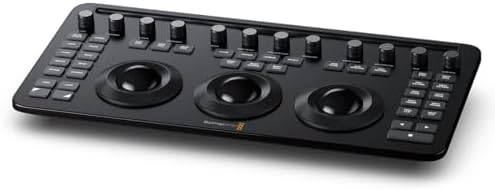
Studio is available in two forms: as a software-only download directly from Blackmagic Design’s website, or bundled with a Blackmagic Design hardware dongle (such as a DaVinci Resolve Speed Editor or Color Panel) which includes a Studio license in the box.
For context, here is how Studio pricing compares to competing professional editing software in 2026:
- DaVinci Resolve Studio — $295 one-time, all updates included
- Adobe Premiere Pro — approximately $55/month ($660/year) on subscription
- Final Cut Pro — $299 one-time (Mac only)
- Avid Media Composer — approximately $50/month or $999 perpetual license
On a per-year basis, DaVinci Resolve Studio is the most cost-effective professional editing software available, particularly when factoring in that it includes a full-featured color grading suite, audio post workstation, and visual effects compositor that would require separate paid applications in competing workflows.
Bestseller #1

Bestseller #2

How Good Is the Free Version of DaVinci Resolve?
The free version of DaVinci Resolve is genuinely outstanding — not just “good for free” but good by any standard. It is used professionally on commercial productions, feature films, and broadcast content around the world. The color grading tools in the free version are identical to those used by Hollywood colorists, and the Fairlight audio page is a complete professional DAW that rivals standalone audio applications costing hundreds of dollars.
The free version’s edit page is a fully non-linear editor with multi-track timelines, nested timelines, multicam editing, built-in titles and effects, and smooth integration with the color and audio pages. For the vast majority of editing workflows — YouTube, documentary, short film, corporate video, wedding videography, social content — the free version is more than sufficient.
Where the free version falls short is at the professional extremes: high-resolution delivery, AI-assisted workflows, challenging noise reduction, and premium streaming HDR formats. For those use cases, Studio is required. But for anyone not yet at those thresholds, the free version is arguably the best free piece of creative software available in any category.
Is DaVinci Resolve CPU or GPU Heavy?
DaVinci Resolve is primarily GPU-heavy. It is built from the ground up to leverage GPU processing for color grading, effects rendering, noise reduction, AI tools, and playback. A fast GPU will have a far greater impact on Resolve’s performance than a fast CPU.
That said, the CPU is still important for several tasks: media management, audio processing in Fairlight, certain Fusion compositing operations, export encoding (in the free version without hardware acceleration), and general system responsiveness. A balanced system works best, but if you are prioritising one component for a Resolve-focused workstation, the GPU is the more impactful upgrade.
Here is how the hardware load breaks down by task:
- Color grading and Resolve FX — primarily GPU
- AI tools (Neural Engine) — GPU, benefits significantly from CUDA (Nvidia) or Metal (Apple Silicon)
- Noise reduction (UltraNR) — very GPU-intensive, nearly unusable on weak GPUs
- Fusion compositing — GPU for rendering, CPU for node graph management
- Fairlight audio — primarily CPU
- H.264/H.265 export — CPU in the free version; GPU-accelerated in Studio
- Media ingest and proxies — CPU and storage speed
Apple Silicon Macs (M1, M2, M3, M4 series) are particularly well-optimised for DaVinci Resolve due to their unified memory architecture and Metal GPU acceleration. On these machines, Resolve performs exceptionally well even in the free version. On Windows and Linux, Nvidia GPUs with CUDA support typically deliver the best performance.
Which Is Better: DaVinci Resolve or Premiere Pro?
Neither is objectively better — they serve different users well. The right choice depends on your workflow, team setup, and budget. Here is an honest comparison across the dimensions that matter most:
- Color grading — DaVinci Resolve wins decisively. Its color science, node-based workflow, and grading tools are the industry standard. Premiere’s Lumetri Color is capable but far less powerful for serious colorists.
- Audio post production — DaVinci Resolve wins. Fairlight is a full professional DAW; Premiere’s audio tools are basic by comparison.
- Timeline editing and multicam — roughly equal. Both are mature, full-featured NLEs. Premiere has a slight edge in familiarity for users coming from other Adobe tools.
- Adobe ecosystem integration — Premiere Pro wins. If your team uses After Effects, Photoshop, or Audition, Premiere’s Dynamic Link integration is a significant workflow advantage.
- AI tools in 2026 — DaVinci Resolve Studio wins on depth of integration; Adobe Sensei offers competitive tools but they are scattered across the Creative Cloud suite rather than unified in one application.
- Cost — DaVinci Resolve wins significantly. Free for most users; $295 one-time for Studio vs. $660/year for Premiere Pro.
- Team collaboration — Premiere Pro has an edge for large teams using Frame.io integration and Shared Projects within the Adobe ecosystem.
- Cross-platform — both run on Windows and Mac. DaVinci Resolve also supports Linux.
In summary: if color grading and audio post are central to your work, DaVinci Resolve is the stronger choice. If you are embedded in the Adobe ecosystem or work in a large collaborative team using Creative Cloud, Premiere Pro may be more practical regardless of its higher cost.
Bestseller #1

Bestseller #2

Bestseller #3

What Is the Free Alternative to DaVinci Resolve?
DaVinci Resolve itself is widely considered the best free video editor available, which makes this question somewhat circular. However, depending on your use case, there are legitimate alternatives worth considering:
- CapCut (free) — best for social media creators and short-form content. Mobile-first with a strong desktop app. Excellent AI tools including auto-captions, background removal, and templates. Not suitable for professional post-production.
- Kdenlive (free, open source) — a capable open-source NLE for Linux and Windows. Good for straightforward editing projects. Lacks the color grading depth and audio tools of Resolve.
- OpenShot (free, open source) — simple, beginner-friendly editor. Cross-platform. Better suited to entry-level projects than professional work.
- Shotcut (free, open source) — more feature-complete than OpenShot. Supports a wide range of formats. A solid choice for editors who want open-source software with reasonable capability.
- iMovie (free, Mac/iOS only) — Apple’s free editor is polished and easy to use. Integrates with Final Cut Pro for project handoff. Limited to basic editing; no professional color or audio tools.
- HitFilm (free tier) — designed for editors who also do visual effects. The free tier is limited but useful for effects-heavy content.
For anyone serious about video editing at any level above casual, DaVinci Resolve’s free version remains the strongest option by a significant margin. No other free editor matches its color grading tools, audio workstation, or overall professional depth. The alternatives above are better suited to beginners, mobile creators, or specific niche use cases where Resolve’s professional feature set would be overkill.
Sources: Blackmagic Design official product pages | Toolfarm DaVinci Resolve 20 deep-dive (April 2025) | Storyblocks Free vs Studio comparison | Miracamp pricing guide (2026). Pricing verified March 2026.
Recommended for reading Amazon Alexa & Echo
Disclaimer: This article contains affiliate links. If you purchase through these links, I may earn a small commission at no additional cost to you