
Adobe Firefly 2026 Explained: What Image Model 5 & AI Agents Actually Do
Adobe Firefly 2026 introduces Image Model 5, AI agents, and powerful new creative tools. Discover what’s new, how it works, and why it matters for designers and creators.

Adobe Firefly Review 2026
The Complete Guide to Features, Pricing, Competitors & the Game-Changing NAB 2026 Updates — Including the Brand-New Firefly AI Assistant, Image Model 5, Precision Flow, AI Markup & 30+ Partner AI Models
Verdict: 4.7 / 5 · Best AI Creative Platform for Commercial & Professional Use ·
What Is Adobe Firefly?
Adobe Firefly launched in public beta in March 2023 as a simple text-to-image generator. By April 2026 — following major announcements at both Adobe MAX 2025 and NAB 2026 — it has become something fundamentally different: an agentic, all-in-one creative AI studio that can orchestrate multi-step workflows across every Adobe app simultaneously.
| 📌 DEFINING STATEMENT Adobe Firefly is the only commercially indemnified generative AI creative platform — trained exclusively on licensed content, deeply embedded in professional design tools, and as of April 2026, capable of autonomously orchestrating multi-step creative workflows across Photoshop, Premiere, Illustrator, Lightroom, and Express from a single conversational interface. |
It doesn’t compete purely on image quality (Midjourney v7 still leads that benchmark). It competes on legal safety, workflow depth, and — now — agentic automation. Those three things together put it in a category of one.
The NAB 2026 Update: Why Everything Just Changed
On April 15, 2026, Adobe announced what it called ‘a new era of agentic creativity’ at NAB Show 2026. The updates are the most significant Firefly has received since launch. No other review article has covered them yet. Here is what was announced:
- Firefly AI Assistant — Conversational AI agent that orchestrates multi-step workflows across all Creative Cloud apps (coming in public beta, weeks away)
- Precision Flow — Generate multiple variations from a single prompt; slider to browse from subtle shifts to dramatic transformations (live now)
- AI Markup — Draw directly on images with a brush or rectangle to control where edits are applied (live now)
- Kling 3.0 & Kling 3.0 Omni — New video AI models added to the 30+ partner model roster (live now)
- Firefly Video Editor: Enhance Speech — Premiere Pro’s award-winning dialogue cleanup now in Firefly Video Editor (live now)
- Color Adjustments in Video Editor — Exposure, contrast, saturation, temperature controls with one-click looks (live now)
- 800M+ Adobe Stock assets in Video Editor — Full Stock library accessible directly in video workflows (live now)
- Project Graph — Node-based visual workflow system (in development, announced as long-term platform direction)
- Anthropic Claude integration — Confirmed: Firefly AI Assistant will work with Claude for cross-surface creative workflows
Complete Feature Breakdown (April 2026)
Image Generation & Editing
| Feature | What It Does | Who Benefits Most | Status |
| Text to Image (Image 5) | 4MP photorealistic images from text prompts. Native resolution, no upscaling required. Realism improved significantly over Image 3. | All users | Live |
| Generative Fill | Select any region of a photo and describe what to add, remove, or replace. Output is an editable layer in Photoshop. | Photographers, retouchers | Live |
| Generative Expand | Extend any image beyond its original canvas edges. Landscape-to-banner, portrait-to-hero image. | Designers, marketers | Live |
| Precision Flow (NEW) | Generate a wide range of results from a single prompt. Slider from subtle shift to dramatic transformation. Pick the version that matches your vision. | Creatives, photographers | Beta (NEW) |
| AI Markup (NEW) | Draw on an image with a brush or rectangle tool, or use a reference image, to control exactly where edits are applied. | Professional retouchers | Live (NEW) |
| Prompt to Edit | Make changes to an existing image using plain language: ‘make the sky moodier’, ‘add soft morning light’. Powered by Image Model 5. | Casual & pro users | Live (MAX 2025) |
| Generative Match | Feed a reference image; Firefly matches visual style, colour palette, and mood across new generations. | Brand teams, agencies | Live |
| Text Effects | AI-generated textures and styles applied directly to text — editable vector output in Illustrator. | Designers, art directors | Live |
| Generative Recolor | Recolor entire vector illustrations from a text prompt across all layers. | Illustrator users | Live |
| Custom Models | Train a Firefly model on your brand’s assets to ensure consistent style at scale across all generations. | Agencies, enterprises | Live (MAX 2025) |
Video Generation & Editing
Firefly’s video capabilities have expanded dramatically in 2025–2026, with the Firefly Video Editor now functioning as a standalone multi-track editing environment with AI generation, stock asset access, and audio tools built in.
| Feature | What It Does | Credit Cost | Status |
| Text to Video | Generate video clips from a text description. Available at standard and 1080p resolutions. | 20–100 credits/sec | Live |
| Image to Video | Animate a still image into a short video sequence. Used for product photography, social ads. | 20 credits/sec | Live |
| Generative Extend (Premiere) | Extend video clips beyond original duration inside Premiere Pro, filling gaps with matching AI content. | Varies | Live |
| Enhance Speech (NEW Video Editor) | Premiere’s award-winning speech cleanup — noise reduction, reverb removal, dialogue balancing — now in Firefly Video Editor. | Varies | Live (NAB 2026) |
| Color Adjustments (NEW) | Fine-tune exposure, contrast, saturation, temperature directly in Video Editor. One-click looks. | Included | Live (NAB 2026) |
| Adobe Stock in Video Editor (NEW) | Access 800M+ licensed video, image, audio and sound effects directly within the Firefly Video Editor. | Stock license | Live (NAB 2026) |
| Video Translation + Lip Sync | Translate spoken dialogue to another language with AI lip-sync that matches mouth movements. | 10 credits/sec | Live |
| Generate Soundtrack | Create fully licensed, studio-grade instrumental music using Firefly Audio Model. | Varies | Live (MAX 2025) |
| Generate Speech | Create realistic multilingual voiceovers with tone and emotion control. Powered by Firefly Speech + ElevenLabs. | Varies | Live (MAX 2025) |
The Firefly AI Assistant: Agentic Creativity
This is the feature that changes Firefly’s competitive position most dramatically. Announced at NAB 2026, Firefly AI Assistant (previously codenamed Project Moonlight) enters public beta in the coming weeks.
| 🚀 NEW: FIREFLY AI ASSISTANT (PUBLIC BETA COMING WEEKS) Instead of manually navigating Photoshop, then Premiere, then Express, users describe the outcome they want in plain language — and the AI assistant orchestrates and executes complex, multi-step workflows across all Creative Cloud apps automatically. It maintains context across sessions, surfaces decisions to the creator at key points, and can learn individual preferences over time. |
Key capabilities of Firefly AI Assistant:
- Single conversational interface — All Creative Cloud apps accessible from one chat-style interface
- Pre-built Creative Skills — Purpose-built templates: retouch portrait photos with consistent presets, generate content across social channels, adapt assets for multiple formats
- Creator-led control — Creator can step in at any point to guide direction; the AI surfaces decisions and asks contextual questions
- Personalized over time — Learns preferred tools, workflows, and aesthetic choices for more tailored results
- Asset awareness — Understands images, video, designs, and brand assets in context
- Frame.io review loop — Organise and share work in Frame.io directly from the assistant; stakeholder feedback is automatically interpreted and applied
- Third-party AI model integration — Works with Anthropic’s Claude and other third-party AI models across creative surfaces
Partner AI Model Roster (30+ Models)
One of Firefly’s most underappreciated features is its role as a model marketplace. As of April 2026, Creative Cloud Pro subscribers can access over 30 partner AI models within the Firefly interface — meaning they benefit from best-in-class generation quality across categories, all within Adobe’s commercial safety framework.
| Partner / Model | Category | What It Adds |
| Google Nano Banana 2 | Image generation | High-quality photorealistic images from Google’s latest image model |
| Google Veo 3.1 | Video generation | Google’s advanced video AI; cinematic quality and motion consistency |
| Runway Gen-4.5 | Video generation | Runway’s flagship video model; complex scene generation |
| Luma AI Ray3.14 | Video generation | Photorealistic video with strong physics simulation |
| Kling 3.0 | Video generation | High-quality Chinese video AI model (NEW — NAB 2026) |
| Kling 3.0 Omni | Video/multimodal | Expanded Kling model with multimodal capabilities (NEW — NAB 2026) |
| Black Forest Labs FLUX.2[pro] | Image generation | Open-weight photorealism leader; extremely high technical quality |
| ElevenLabs Multilingual v2 | Audio/speech | Realistic multilingual voiceovers with tone and emotion control |
| OpenAI GPT Image | Image generation | Best-in-class prompt adherence and text rendering in images |
| Topaz Labs Topaz Astra | Image enhancement | Professional-grade upscaling and noise reduction |
| Adobe Firefly Image 5 | Image (native) | Adobe’s own 4MP photorealistic image model; commercially safe by default |
| + 20 more models | Various | Roster expanding continuously |
Project Graph: Adobe’s Long-Term Platform Bet
Announced alongside Firefly AI Assistant but less covered: Project Graph is a node-based visual workflow editor that lets users wire together AI models, Adobe tools, and effects into reusable ‘capsules’ — portable workflow templates that can be shared across teams and dropped into individual apps. Think: a visual programming environment for creative pipelines, using AI models as nodes.
Project Graph is still in development but represents Adobe’s long-term vision for the platform: the value of Adobe isn’t in any single application, it’s in the connective infrastructure between them.
The Commercial Safety Advantage — Why It Matters More Than Ever
Every major AI image tool promises beautiful outputs. Adobe Firefly is the only one that promises to pay your legal bills if a copyright holder comes after you.
Adobe Firefly is trained exclusively on: Adobe Stock imagery (fully licensed), openly licensed content, and public domain material. This is a published, verifiable policy — not a marketing claim. Adobe has faced significant industry scrutiny on this point and maintains it consistently.
Content Credentials (C2PA Standard)
Every image Firefly generates is cryptographically signed with Adobe’s Content Credentials — an implementation of the C2PA (Coalition for Content Provenance and Authenticity) open standard. The signature proves the image was AI-generated and records its provenance. No competing AI image generator embeds this level of provenance metadata by default.
| ⚖️ COMMERCIAL INDEMNIFICATION — THE DIFFERENTIATOR Adobe provides commercial indemnification to enterprise users against copyright claims arising from Firefly-generated images. If a third party claims a Firefly output infringes their copyright, Adobe covers your legal defense costs. DALL-E, Midjourney, and Stable Diffusion do not offer this. It is why enterprise legal teams can approve Firefly and cannot approve competitors. |
Pricing 2026: Every Plan Decoded
Adobe’s credit system is deliberately confusing because the company’s primary goal is to get users on Creative Cloud All Apps. Here is every plan with what you actually get, including the important gotchas.
Standalone Firefly Plans
| Free $0/mo 25 credits/mo ✓ Core text-to-image ✓ Basic generative fill ✓ Adobe watermark on outputs ✓ No commercial use rights ✓ Good for exploration only | Firefly Standard $9.99/mo 2,000 premium credits/mo ✓ All core features ✓ Commercial use rights ✓ No watermark ✓ Partner model access ✓ Annual: $99.99/yr ($8.33/mo) | Firefly Pro $29.99/mo 7,000 premium credits/mo ✓ All Standard features ✓ Video generation access ✓ Audio generation ✓ Higher-volume workflows ✓ Annual: $299.99/yr ($25/mo) | Firefly Premium $199.99/mo 50,000 premium credits/mo ✓ All Pro features ✓ Enterprise-scale volume ✓ Advanced video resolutions ✓ Annual: $1,999.99/yr ($167/mo) ✓ Not available for teams |
Credit Cost Per Operation
| Operation | Credits Used | Real-World Impact |
| Standard image / vector generation | 1 credit | 2,000-credit Standard plan = up to 2,000 images |
| Fast mode (any generation) | 2× standard rate | Halves your effective monthly allocation silently |
| Image 4 Ultra / Image 5 (premium models) | 10–20 credits each | 2,000 credits = only 100–200 premium model images |
| Video generation — standard | 20 credits/sec | A 5-second clip = 100 credits |
| Video generation — 1080p | 100 credits/sec | 5 seconds of 1080p = 500 credits |
| Video/Audio Translation | 5 credits/sec | 10 credits/sec with lip sync |
| Generative Fill, Text Effects (in CC apps) | 0 credits currently | Effectively free for CC subscribers — huge value |
| Text Effects, Clip Maker (Express) | 0 credits currently | Included without credit consumption |
| ⚠️ CREDIT GOTCHAS — READ BEFORE SUBSCRIBING 1. Credits DO NOT roll over — unused credits expire monthly. 2. Fast mode silently burns 2× credits per generation. 3. Video is extremely credit-intensive — 1080p costs 100 credits/second. 4. If you primarily use Photoshop and Illustrator, the Creative Cloud plan includes Generative Fill and Recolor for FREE — standalone Firefly plans may be redundant. |
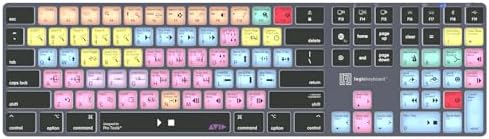
- Wireless Mac Keyboard f Avid Pro Tools with Backlit Keys
- Visual Keyboard Shtcuts
- Bluetooth Connectivity
$149.90
Worked Monthly Cost Examples
Here is what three real user types actually spend, accounting for credit consumption patterns:
| User Type | Monthly Usage | Recommended Plan | Effective Cost |
| Casual creator | ~50 AI images/month, standard quality, no video | Firefly Standard $9.99/mo | $9.99 — 1,950 credits left over |
| Freelance designer | ~500 standard images + Photoshop/Illustrator integration | CC Photography Plan ~$23/mo | $23 — Generative Fill is free; 500 image credits for standalone generation |
| Agency / creative team | 2,000+ images, video clips, translation, Custom Models | CC Pro All Apps ~$60/mo + top-up credits | ~$60–$120/mo depending on video volume |
| Enterprise brand team | High volume, legal indemnification required, Custom Models | CC Enterprise Edition 4 (negotiated) | Custom pricing — enterprise indemnification available |
Competitor Comparison: The Honest 2026 Analysis
This comparison is based on hands-on testing and benchmark data from March–April 2026. The competitive picture has shifted since late 2025 — particularly with the NAB 2026 announcements that give Firefly a new agentic dimension no competitor currently offers.
Head-to-Head Comparison Table
| Criterion | Adobe Firefly | Midjourney v7 | DALL-E / GPT Image | Stable Diffusion 3.5 |
| Artistic image quality | Good | ✅ Best in class | Good | Very good |
| Photorealistic quality | Very good (Image 5: 4MP) | ✅ Excellent | Good | ✅ Excellent |
| Prompt adherence | Good | ⚠️ Variable | ✅ Best in class | Good |
| Text rendering in images | Limited | Poor | ✅ ~95% accuracy | Good |
| Commercial copyright safety | ✅ Best in class | ⚠️ Questionable | Moderate | ⚠️ Variable |
| Enterprise indemnification | ✅ Yes | ❌ No | ❌ No | ❌ No |
| Agentic multi-app workflows | ✅ Yes (coming beta) | ❌ No | ❌ No | ❌ No |
| Professional app integration | ✅ Best in class | ❌ None | Via API only | Via plugins only |
| Native vector output | ✅ Yes | ❌ No | ❌ No | ❌ No |
| Video generation | ✅ Yes (30+ models) | ❌ No | ❌ No | Via extensions |
| Partner AI model access | ✅ 30+ models | ❌ None | OpenAI only | Community models |
| Content Credentials | ✅ Yes (C2PA) | ❌ No | ❌ No | ❌ No |
| Setup complexity | ✅ Very easy | Moderate (Discord/web) | ✅ Very easy | ❌ Technical |
| Starting price | $0 free / $9.99 | $10/mo (no free) | Free via ChatGPT | Free (self-hosted) |

Why Midjourney Users Should Care About Firefly Now
Until NAB 2026, the recommendation was simple: Midjourney for artistic quality, Firefly for commercial safety. That distinction still holds — but Firefly’s Creative Cloud Pro plan now includes access to Flux, Google’s Nano Banana 2, and other high-quality models within the Firefly interface. Midjourney-quality results within Adobe’s legal framework is now technically possible for CC Pro subscribers. The gap has narrowed more than most reviews acknowledge.
The Stable Diffusion Argument
Stable Diffusion remains the right choice for technically sophisticated users who need: local processing for privacy-sensitive data, infinite fine-tuning via LoRA adapters and ControlNet, zero ongoing subscription cost with owned hardware, and maximum creative freedom without content filtering. Firefly cannot match Stable Diffusion on any of these dimensions. It doesn’t try to.
Who Should Use Adobe Firefly?
| User Type | Primary Use Case | Best Entry Point | Key Feature That Changes Their Workflow |
| Photographers | Retouching, background removal, composition expansion, sky replacement, non-destructive edits | CC Photography Plan ($23/mo) | Generative Fill + Precision Flow: turns hours of manual masking into seconds. AI Markup gives surgical precision over where edits land. |
| Graphic Designers | Brand assets, social graphics, campaign visuals, vector generation, rapid prototyping | CC All Apps / Pro ($60/mo) | Generative Match + Custom Models: consistent brand style across thousands of assets at scale. |
| Marketing Teams | Ad creative, campaign assets, social content, video ads, localised content | CC Pro for Teams | Commercial indemnification + 30+ partner models: legal clarity and Midjourney-quality outputs in one platform. |
| Video Editors | Short-form content, social video, translation, b-roll, audio cleanup | Firefly Pro ($29.99/mo) or CC Pro | Firefly Video Editor with Enhance Speech, Stock integration, Kling 3.0, Generative Extend in Premiere. |
| Agencies & Studios | Multi-client campaigns, brand consistency, high-volume asset production, review workflows | CC Pro Enterprise | Firefly AI Assistant (coming beta): multi-step workflows across all apps from a single prompt. Frame.io review loop. |
| Enterprises | Commercial content at scale with legal coverage | Enterprise ETLA | Indemnification + Custom Models + Firefly AI Assistant + pooled generative credits across teams. |
| Beginners / Casual | Social graphics, personal projects, exploration | Free plan or Adobe Express | Text-to-image, Generative Fill, Firefly Boards — no design experience needed. Clean browser interface. |
| Developers / API users | Programmatic content generation, app integrations | Firefly Services API ($0.02–$0.10/image) | Firefly API with commercial safety built-in; enterprise minimum ~$1,000/mo. |
Who Should Look Elsewhere?
- Fine art / maximum artistic quality → Midjourney v7. Still the aesthetic benchmark. If raw visual beauty is your sole criterion, Midjourney wins.
- Precise, literal prompt following → GPT Image / DALL-E. Best for infographics, text-in-images, mockups, and any generation requiring specific literal elements.
- Free, unlimited, fully customizable → Stable Diffusion. Technical setup required, but zero ongoing cost and infinite control.
- Photorealism for developers / APIs → Flux 1.1 Pro. But note: now available within Firefly’s model marketplace on CC Pro.
- Quick social graphics with no design tool needed → Canva AI. Faster for template-based work; less powerful for bespoke creation.
Pros & Cons (April 2026)
| ✅ Strengths | ❌ Weaknesses |
| Only commercially indemnified AI image generator | Raw artistic image quality trails Midjourney v7 |
| Trained on licensed data — no copyright exposure | Text rendering in images lags DALL-E / GPT Image |
| Firefly AI Assistant (coming): multi-app agentic workflows | Credit system is opaque; fast mode doubles cost silently |
| Generative Fill remains best-in-class for photo editing | Credits don’t roll over — use-it-or-lose-it monthly |
| Native vector output from Vector Model (Illustrator) | Video features still maturing vs. dedicated tools |
| Precision Flow (NEW): explore variations with a slider | Full value requires Creative Cloud investment |
| AI Markup (NEW): surgical precision over where edits land | Standalone Firefly plans are poor value without CC apps |
| Image Model 5: 4MP native resolution, Prompt to Edit | Free plan limited to 25 credits — barely enough to evaluate |
| 30+ partner AI models including Kling 3.0, Veo 3.1, FLUX.2 | Firefly AI Assistant not yet available (coming beta) |
| Content Credentials (C2PA) on every output | Enterprise pricing non-transparent; requires negotiation |
| 800M+ Adobe Stock assets in Video Editor | Credit costs for 1080p video are very high |
| Anthropic Claude integration confirmed for AI Assistant |
Frequently Asked Questions
Is Adobe Firefly free to use?
Yes. Adobe Firefly has a free plan with 25 generative credits per month, giving access to core text-to-image and generative fill features. Outputs include an Adobe watermark and cannot be used commercially. The free plan is enough to evaluate the tool but inadequate for any production workflow. Paid standalone plans start at $9.99/month (Firefly Standard) with 2,000 credits and full commercial use rights.
Is Adobe Firefly safe to use commercially?
Yes — on paid plans. Firefly is trained exclusively on Adobe Stock imagery, openly licensed content, and public domain material. Adobe provides commercial indemnification to enterprise users against copyright claims, making it the only major AI image generator that corporate legal teams can approve without qualification. Free plan outputs cannot be used commercially.
What is the new Firefly AI Assistant announced at NAB 2026?
Announced April 15, 2026, the Firefly AI Assistant is a conversational AI agent that orchestrates multi-step creative workflows across Photoshop, Premiere, Lightroom, Illustrator, Express, and Firefly from a single interface. Users describe the outcome they want in natural language; the assistant executes the steps, surfaces key decisions, and maintains context across sessions. It enters public beta in the coming weeks. It will also integrate with Anthropic’s Claude and other third-party AI models.
What is Precision Flow in Adobe Firefly?
Precision Flow, launched in April 2026, generates a wide range of results from a single prompt and presents them as a spectrum controlled by a slider. Users can browse from subtle shifts to dramatic transformations and select the version that best matches their vision without starting over. It is currently in beta and available in the Firefly image editor.
What is AI Markup in Adobe Firefly?
AI Markup, also launched in April 2026, lets users draw directly on an image using a brush, rectangle tool, or reference image to specify exactly where AI edits are applied. This provides surgical precision for complex edits — place objects, sketch new elements, refine lighting — in areas the user designates rather than leaving placement to the model.
How many AI models does Adobe Firefly have in 2026?
As of April 2026, Firefly’s model marketplace includes 30+ partner AI models available to Creative Cloud Pro subscribers. These include Google’s Nano Banana 2 and Veo 3.1, Runway Gen-4.5, Kling 3.0 and Kling 3.0 Omni (both new as of NAB 2026), Luma AI Ray3.14, Black Forest Labs FLUX.2[pro], ElevenLabs Multilingual v2, Topaz Labs Topaz Astra, OpenAI GPT Image, and Adobe’s own Firefly Image 5 and Firefly Video model.
What is Adobe Firefly Image Model 5?
Adobe Firefly Image Model 5, announced at Adobe MAX 2025, generates 4MP native-resolution photorealistic images without upscaling. It powers Prompt to Edit, which allows image adjustments using plain language commands like ‘make the sky moodier’ or ‘add soft morning light’. It represents a significant quality leap over Image 3 (which most articles in this space still reference).
What are Firefly Custom Models?
Announced at Adobe MAX 2025 and now available, Firefly Custom Models allow organisations to train a Firefly model on their own brand assets, ensuring all generated outputs maintain consistent visual style, colour palette, and aesthetic. This is the enterprise feature that replaces the manual Generative Match workflow for teams producing thousands of assets.
Does Adobe Firefly work without a Creative Cloud subscription?
Yes. Standalone plans (Standard $9.99/mo, Pro $29.99/mo, Premium $199.99/mo) operate independently. However, Generative Fill in Photoshop, Generative Recolor in Illustrator, and Generative Extend in Premiere Pro each require the corresponding CC application. Standalone plans suit users who only need the Firefly web app.
Final Verdict
Adobe Firefly entered 2026 as the safest, most workflow-integrated AI creative platform. It exits the first week of April 2026 — post-NAB 2026 — as something more ambitious: the first genuinely agentic AI creative platform, capable of orchestrating multi-step professional workflows from a single conversational interface.
The image quality argument that used to be Midjourney’s strongest card has also weakened. Firefly’s 30+ partner model marketplace now includes Flux, Google Veo, Kling, and Runway — meaning Creative Cloud Pro subscribers can access high-quality generative outputs while retaining Adobe’s commercial safety framework.
The credit system remains confusing and punitive for video-heavy workflows. The Firefly AI Assistant is coming but not yet live. Midjourney v7 still wins on pure artistic aesthetics. These are real limitations.
| 📊 FINAL RATINGS Image Quality (own models): 4.2/5 | Commercial Safety: 5/5 | Workflow Integration: 5/5 | Pricing Value: 3.8/5 | Feature Breadth: 4.8/5 | Ease of Use: 4.5/5 | OVERALL: 4.7 / 5 |
Use Firefly if: you create commercial content, you’re already in Creative Cloud, you need editable outputs rather than flat exports, or enterprise legal approval is a requirement.
Consider alternatives if: maximum artistic quality is your sole criterion (Midjourney), precise prompt following is critical (GPT Image), or you need free, self-hosted, technically unlimited generation (Stable Diffusion).
If you’re also working with video tools, don’t miss our breakdown of DaVinci Resolve’s free version limitations—what professionals need to know in 2026: https://digitalchoicehub.com/davinci-resolve-free-version-limitations-what-professionals-must-know-2026/
Disclaimer: This article contains affiliate links. If you purchase through these links, I may earn a small commission at no additional cost to you


[…] most software tools that require design skills, technical knowledge, or expensive subscriptions to creative […]